Avast anti-virus
If you have Avast anti-virus installed on your computer, it's possible your webcam is being blocked by the Webcam Shield setting that is included in Avast’s security software. To ensure that your webcam is being permitted access by Avast, please do the following:
Windows Users:
-
Open the Avast Application. Click on the Start button on the Taskbar and type “Avast” then click on the first search result to open.
-
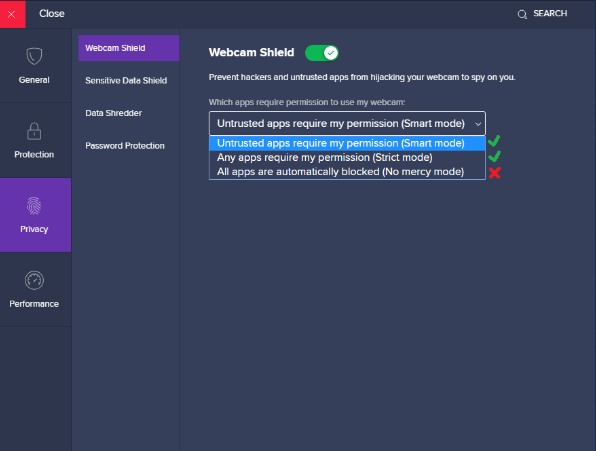
Once the application is open, select Menu in the top right of the window and go to Settings -> Privacy -> Webcam Shield.
-
Ensure the “All apps are automatically blocked (No mercy mode)” Setting is not selected.
-
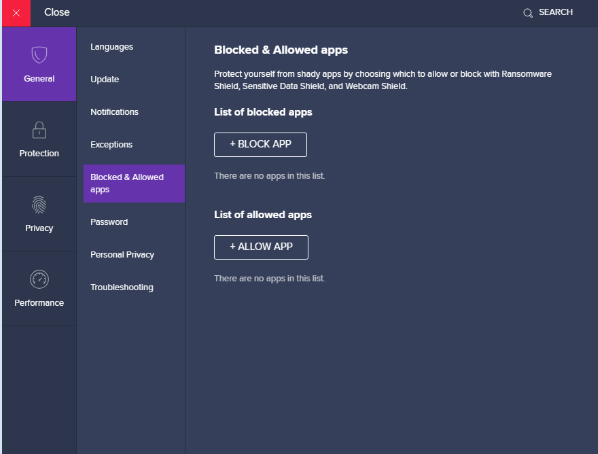
Choose the “General” option in the menu, and then “Blocked and Allowed apps.”
Alternatively, you might prefer to disable Avast’s webcam shield. To do this:
-
Open the Avast Application. Click on the Start button on the Taskbar and type “Avast” then click on the first search result to open.
-
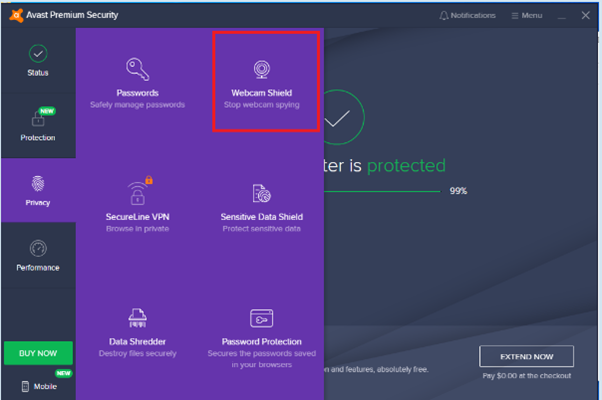
Once the application is open, select privacy in the left menu then open the “Webcam Shield” component.
-
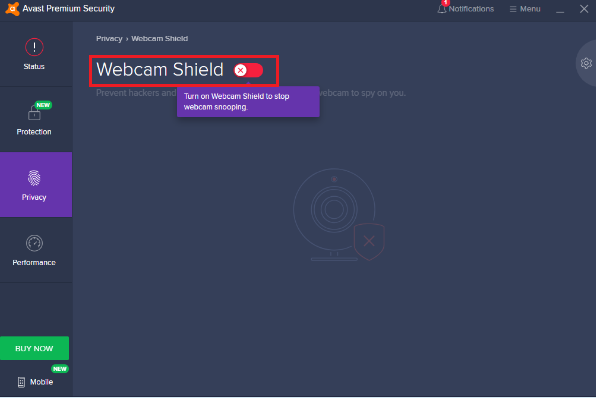
Toggle the webcam shield setting so it is disabled as seen in the screenshot below.
-
After you have ensured the Webcam Shield is toggled off, restart the computer, open Secure Browser and attempt the webcam check again.
-
After your exam is submitted, you should enable the webcam protection again.
-
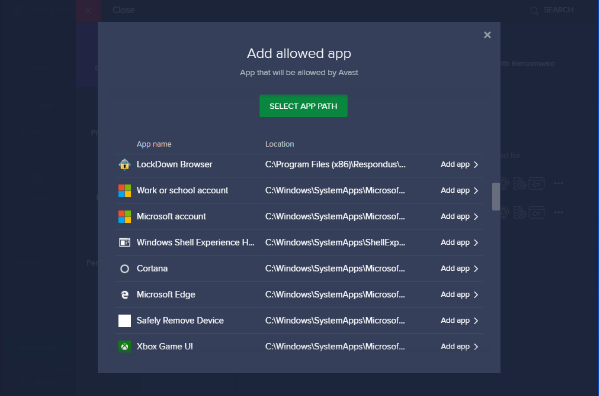
Select the “+ Allow App” button and select Secure Browser from the list of applications and click “Add App.”
-
After you have made the above changes, restart your computer and launch Secure Browserto view the results.
 Related Topics